In my humble opinion mobile ads just doesn' work for App developers as a mean to generate revenue from their apps.
You have an average CTR of 0.21% , but you only get one cent or two cent per click. Meaning that you need millions of viewers per month to get a decent revenue.
In my own experience I had an app with AdMob ads, and indeed I got a daily CTR of 0.17/0.2/0.22; much in line with the average CTR found.
But I only had a few thousand visits per day, and that was strange because my app was downloaded much more.
And than I came to conclusion that the only thing that prevented from ads to be shown, was AD BLOCKERS !
And that my friends is why the mobile ads do not work ! More and more people install ad blockers on their devices and less and less ads are shown.
Tuesday, 15 October 2013

Thursday, 27 December 2012
Saturday, 18 August 2012
My company website is online
I finally found some time to setup my company website, you can have a look here.
Saturday, 16 June 2012
it has been ages...
since I published something.
But now I'm back, I was too busy with setting up my own business, start developing for iOS 5 and iPad, etc.
So it was a very hectic 1 year and a half.
I have now 8 apps on the appstore (and 1 under review) and my experiences are mixed , the free ones are very well downloaded , the payed however....
It becomes more and more difficult to be found on the AppStore, I'm currently spending more time in marketing the apps via different social media than really developing and that's a shame I think.
Anyway for those who want to know what my apps are here we go :
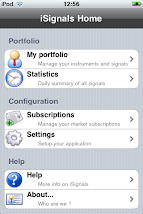
iSignals for iPhone , using CoreGraphics, financial integration with yahoo, PDF generation , email etc etc.
iSignals for iPad , same as above is a port from the iPhone version for iOS 5 and higher
TRACK , is an app to follow an art exhibition in Ghent, using CoreLocation, Augmented reality, GPS functionality etc (for iPad)
Equity Option Calculator , a professional option calculator for the iPhone
The 4 other apps are for Belgium only and for specific purposes.
Next time I'll discuss a bit more in depth on the different new technologies I used.
PS: You can now also follow me on Twitter via @isignals1 or become friends on Facebook.
But now I'm back, I was too busy with setting up my own business, start developing for iOS 5 and iPad, etc.
So it was a very hectic 1 year and a half.
I have now 8 apps on the appstore (and 1 under review) and my experiences are mixed , the free ones are very well downloaded , the payed however....
It becomes more and more difficult to be found on the AppStore, I'm currently spending more time in marketing the apps via different social media than really developing and that's a shame I think.
Anyway for those who want to know what my apps are here we go :
iSignals for iPhone , using CoreGraphics, financial integration with yahoo, PDF generation , email etc etc.
iSignals for iPad , same as above is a port from the iPhone version for iOS 5 and higher
TRACK , is an app to follow an art exhibition in Ghent, using CoreLocation, Augmented reality, GPS functionality etc (for iPad)
Equity Option Calculator , a professional option calculator for the iPhone
The 4 other apps are for Belgium only and for specific purposes.
Next time I'll discuss a bit more in depth on the different new technologies I used.
PS: You can now also follow me on Twitter via @isignals1 or become friends on Facebook.
Thursday, 5 August 2010
NSNumberformatter for special currency formats
Another day somebody asked me if it was possible with an NSNumberFormatter to format currency values like $1k , $1,02m etc.
So instead of displaying a value like $1,020,000 to display it as $1,02m
Now with a standard NSNumberFormatter its not possible, so you could create a custom formatter for that.
The following code snippet will do the job
- (NSString *) formatCurrencyValue: (double )doubleValue
{
NSNumberFormatter *nformat = [[NSNumberFormatter alloc] init];
[nformat setFormatterBehavior:NSNumberFormatterBehavior10_4];
[nformat setCurrencySymbol:[[NSLocale currentLocale] objectForKey: NSLocaleCurrencySymbol]];
[nformat setNumberStyle:NSNumberFormatterCurrencyStyle];
NSString *stringValue = nil;
NSArray *abbrevations = [NSArray arrayWithObjects:@"k", @"m", @"b", @"t", nil] ;
for (NSString *s in abbrevations)
{
doubleValue /= 1000.0 ;
if ( doubleValue < 1000.0 )
{
if ( (long long)doubleValue % (long long) 100 == 0 )
[nformat setMaximumFractionDigits:0];
else
[nformat setMaximumFractionDigits:2];
stringValue = [NSString stringWithFormat: @"%@%@", [nformat stringFromNumber: [NSNumber numberWithDouble: doubleValue]] , s] ;
break ;
}
}
[nformat release] ;
NSLog(@"Value = %@", stringValue);
return stringValue ;
}
Input :
[self formatCurrencyValue: 1235.0f] ;
[self formatCurrencyValue: 10351.0f] ;
[self formatCurrencyValue: 100522.0f] ;
[self formatCurrencyValue: 1235111.0f] ;
[self formatCurrencyValue: 12351234.0f] ;
[self formatCurrencyValue: 192351234.0f] ;
[self formatCurrencyValue: 1872351234.0f] ;
Output :
Value = £1.24k
Value = £10.35k
Value = £101k
Value = £1.24m
Value = £12.35m
Value = £192.35m
Value = £1.87b
Note : you can add additional parameters to the function like number of fraction digits
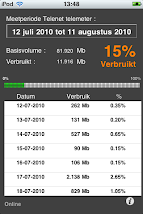
Telenet telemeter for iPhone/iPod


Saturday, 31 July 2010
Drawing text on a pie chart (Cocoa)
Drawing text along side a pie chart (see image below) is fairly simple :

You only need a bit of math.
Let's look a some code :
First you have your text :
NSDictionary *attributes = [NSDictionary dictionaryWithObjectsAndKeys:[NSFont fontWithName:@"Helvetica" size:12], NSFontAttributeName,[NSColor blackColor], NSForegroundColorAttributeName, nil];
NSAttributedString * currentText=[[NSAttributedString alloc] initWithString: @"some text" attributes: attributes];
Then you need to figure out where you will put the text :
dot = NSMakePoint( size_x/2 + cos (PI * mid_angle / 180 ) * 50 , size_y/2 + sin ( PI * mid_angle / 180 ) * 50 ) ;
[greenPath appendBezierPathWithArcWithCenter: dot radius: 2 startAngle: 0 endAngle: 360 ] ;
(This is the dot you see in the picture above)
The mid_angle is the angle of slice divided by 2.
Then you draw the text :
textStartPoint = makeTextStartingPoint( [currentText size], bounds , mid_angle, 50 ) ;
[currentText drawAtPoint:textStartPoint];
The function makeTextStartingPoint looks like follows :
NSPoint makeTextStartingPoint( NSSize textSize, NSRect bounds , float angle, int offset )
{
NSPoint textStartPoint ;
float size_x = bounds.size.width ;
float size_y = bounds.size.height ;
float angle_radian = PI * angle / 180 ;
if ( angle <= 90 )
{
textStartPoint = NSMakePoint( size_x/2 + cos (angle_radian) * offset + 5 , size_y/2 + sin (angle_radian ) * offset ) ;
}
if ( angle > 90 && angle <= 180)
{
textStartPoint = NSMakePoint( size_x/2 + cos ( angle_radian ) * offset - textSize.width - 5 , size_y/2 + sin (angle_radian ) * offset ) ;
}
if ( angle > 180 && angle <= 270 )
{
textStartPoint = NSMakePoint( size_x/2 + cos ( angle_radian ) * offset - textSize.width - 5, size_y/2 + sin ( angle_radian ) * offset - textSize.height ) ;
}
if ( angle > 270 )
{
textStartPoint = NSMakePoint( size_x/2 + cos ( angle_radian ) * offset + 8 , size_y/2 + sin (angle_radian ) * offset - textSize.height ) ;
}
return textStartPoint ;
}
The reason I use an attributed string is because now I get the length of the text in pixels. You also see that the starting point is different from quadrant to quadrant.
Monday, 21 June 2010
iSignals v2.0.2
Version 2.0.2 of iSignals is finally landed !
It's now compatible with iOS4, contains a subscription store, contains a lot of technical analysis charts etc.
It still has the possibility to follow more than 17000 instruments on 28 markets. You can receive buy/sell signals (with paid subscription) but you can do your own technical analysis.
The application supports MACD, MFI, EMA, SMA,TMA, Parabolic SAR, Bollingerbands,ROC, RSI, Slow and fast stochastic, Williams %R and the Chaikin Osscilator?
Some screenshots :


Have look : URL : http://itunes.apple.com/us/app/isignals/id328171880?mt=8
Instruction video of iSignals : http://www.youtube.com/watch?v=fd9nrEr-r7E
Friday, 15 January 2010
a UISegmentedControl subclass that simulates checkboxes
I would like to share a small , possible, implementation of checkboxes on the iPhone using a UISegmentedControl subclass.


The UISegmentedControl is in fact a radiobutton over multiple possibilities, now in certain circumstances it could be usefull that you can select multiple items.
One possibility is to use a tableview, however in some cases this is overkill.
Suppose you have the following selection list :
In this list you want to be able to select multiple values like this (for example) :
Now to be able to do this , I wrote a small subclass of UISegmentedControl :
#import
@interface UIMultipleSelectionSegmentControl : UISegmentedControl {
NSMutableSet *indices ;
}
@property( nonatomic,retain) NSMutableSet *indices ;
@end
Now the trick is that you cannot use the private variables of the UISegmentedControl class, so the only possibility that one can use is to override the setSelectedSegmentIndex: and their do the actual implementation of multiple selections .
#import "UIMultipleSelectionSegmentControl.h"
@implementation UIMultipleSelectionSegmentControl
@synthesize indices ;
- (NSSet *) selectedSegmentIndices
{
return self.indices ;
}
- (void) setSelectedSegmentIndices: (NSSet *) aSet
{
NSEnumerator *enumerator = [aSet objectEnumerator];
NSNumber *value;
while ((value = [enumerator nextObject]))
{
[self setSelectedSegmentIndex: [value integerValue]] ;
}
}
- (void) setSelectedSegmentIndex: (NSInteger) anIndex
{
if ( self.indices == nil ) self.indices = [NSMutableSet set] ;
if ( anIndex >= 0 )
{
NSNumber *indexNumber ;
UIImage *myImage ;
indexNumber = [NSNumber numberWithInt: anIndex] ;
if ( ! [self.indices containsObject: indexNumber] )
{
[self.indices addObject: indexNumber] ;
switch( anIndex )
{
case 0 :myImage = [UIImage imageNamed: @"segment-5-sel.png"] ; break ;
case 1 :myImage = [UIImage imageNamed: @"segment-10-sel.png"] ; break ;
case 2 :myImage = [UIImage imageNamed: @"segment-20-sel.png"] ; break ;
case 3 :myImage = [UIImage imageNamed: @"segment-50-sel.png"] ; break ;
case 4 :myImage = [UIImage imageNamed: @"segment-100-sel.png"] ; break ;
case 5: myImage = [UIImage imageNamed: @"segment-200-sel.png"] ; break ;
}
[super setSelectedSegmentIndex: anIndex] ;
}
else
{
[self.indices removeObject: indexNumber] ;
[super setSelectedSegmentIndex: -indexNumber] ;
switch( anIndex )
{
case 0 :myImage = [UIImage imageNamed: @"segment-5.png"] ; break ;
case 1 :myImage = [UIImage imageNamed: @"segment-10.png"] ; break ;
case 2 :myImage = [UIImage imageNamed: @"segment-20.png"] ; break ;
case 3 :myImage = [UIImage imageNamed: @"segment-50.png"] ; break ;
case 4 :myImage = [UIImage imageNamed: @"segment-100.png"] ; break ;
case 5: myImage = [UIImage imageNamed: @"segment-200.png"] ; break ;
}
}
[self setImage: myImage forSegmentAtIndex: anIndex] ;
}
}
- (void)dealloc {
[indices release] ;
[super dealloc];
}
@end
In this case I made images of each segment, one that represent the unselected image and one the represent the selected image.
(the images in my case are 24x24 pixels in size).
This subclass will still send UIControlChangeEvents, so it acts as a normal UIControl class.
To get the indices you have to call the method selectedSegmentIndices and to set them you use setSelectedSegmentIndices:.
(note that the indices are a NSSet).
Sunday, 27 December 2009
Apple's AppStore a goldmine or ...
You find a lot of blogs on the Internet which speculates how good (or bad) sales are on the AppStore. Usually from people who didn't publish an application themselfs on the AppStore.
Now here I'm gone write my personal experience with the AppStore. About 1 month ago (3th of December) my application was finally approved by Apple.
Let's go over the timeline from concept of the app until today.
1. Concept
The idea came after a discussion with a friend , who's a financial analyst, to build a front end on top of his trading engine.
So the idea was that I should build an iPhone front end and that he would build the web infrastructure so that the iPhone could communicate with the trading engine.
I also did some investigation and I saw that their where only 1000 apps on the AppStore in the finance category , so at least we would be seen.
Of course this was not a game so we wouldn't reach the masses or getting great attention from review sites etc.
(Note: I still find it strange that people buy 600 USdollars phones to play games on it, but oke).
2. Development
And then it was April 2009, we started the development. I bought a development license from Apple for 99 USdollar ( 79 euro), got myself an iPod Touch for development. Got all the contracts signed (that was smooth by the way) and got myself an IRS number.
That was a strange experience for a non-US citizen ;-).
Apparently they don't believe in the Internet because the only to get that number was by phone, mail or fax - no online -.
Anyway we start coding , he was using PHP for the backend and I using Objective-C for the front-end.
And the communication between iPod and backend happened via HTTP using CSV files (nope no XML , that's overkill, the CSV's are generated on the fly during a request).
It took about 2,5 months to develop it, 1 month beta-testing and 1 month for corrections, change requests etc.
So in August 2009 I submitted the app for approval to ItunesConnect. And now the story begins...
3. Approval process
According to Apple it takes about 14 days to get approval (or rejection). So I was thinking , I submit it in August then we have an availability date of September 1th.
Now that was wrong.
After a week I got a mail from Apple to say that it would take longer to approve. But with no further explanation for what reason.
So august went by -> no approval
September went by -> no approval (and no message from Apple)
October went by -> no approval (no message from Apple).
At that time I sent an email to them but I got a standard response back.
And then suddenly in November they started the review of the application and I got an email that the app was rejected because of an usability problem.
I quickly fixed it and resubmitted it, and I was afraid that it would take again 3,5 months for approval.
But luckily for one reason or another they almost immediatly reviewed it and approved it.
So since December 3th the application is on the AppStore for sale !
4. Post Natal depression
So the new born is 1 month old, and how is the sales going ?
Well to be honest, not so good (sold twenty-some). We knew it was a niche market so we didn't expect 1000 downloads per day. But a bit more than 20... would be nice.
Now the AppStore (and ITunes Connect) doesn't give us much help. With more than 100.000 applications available you are just 1 item in a giant catalog (even finance has 1700 apps).
And a catalog with very limited search and browse facilities , after a few days your application is somewhere on page 10 and nobody cares anymore.
ITunes Connect as marketing aid is also nothing, you can enter keywords but you have no idea how many people are landing on your app, which keywords they used etc etc. You only see how many downloads their are.
Now we are spending our time in sending emails to review sites etc. But those guys are also overwhelmed with requests. And most likey they rather like to review games or entertainment apps than boring financial app's.
Conclusion : creating and developing an application for the iPhone is the easy part , its 10 % of the effort , marketing is the other 90%.
For those who think that the AppStore is a goldmine , forget it, a good idea is a prerequisite but some luck and a lot of marketing is needed. And even then you are not sure that you'll win the jackpot.
Saturday, 26 December 2009
drawing graphics for the iPhone (not opengl ES)
Don't we all want to make graphics like this : ?

Well , I'll try to explain how I did this (BTW this graphics comes from my iphone application iSignals).
First create a file in your project which is a subclass of UIView (via XCode>File>New File). Call it for example MyGraphView.
Then you create a XIB with Interface Builder , in the XIB you add a view and you change the class identity to the custom view class MyGraphView.
And now comes the coding part, lets for the sake of clarity say that you have 2 arrays in MyGraphView (usually you'll pass them via a controller class). These arrays are called datapoints[] and ylabels[].
So let's see how the drawRect method is implemented.
- (void)drawRect:(CGRect)rect {
// Drawing code
float width = rect.size.width ;
float height = rect.size.height ;
CGContextRef currentContext ;
int i = 0 ;
// Get the graphics context that we are currently executing under
currentContext = UIGraphicsGetCurrentContext() ;
;
In the first lines of the drawRect, I save the width and the height, I'll use this to calculate the scale factors.
To understand this you need to know a bit of coordinatesystems. The iPhone coordinates are simply the pixels that can be drawn. So for example a view can be 200 px wide and 300 px high.
But of course what more important is , is the world coordinatessystem. And these coordinates are the coordinates of your world.
For example if I want to plot 600 points and the range of those points are between 0.5 and 3.5 then my user coordinatessystem is: X-axis =(0,600) Y-axis = (0.5,3.5).
So to convert user points into iphone points (or view points) I need to apply a scale factor. The scale factor is calculated as follows.
#define OFFSET_X 30.0f
#define OFFSET_Y 10.0f
scale_factor_x = ( width - OFFSET_X ) / ( [dataPoints count] - 0 );
scale_factor_y = (height - OFFSET_Y ) / (max_y - min_y ) ; // max_y = max(dataPoints) ;min_y = min(dataPoints)
Note: OFFSET_X and OFFSET_Y are 2 constants to let some space in the view where I can are plot the axes and labels of the axes.
So let's draw the axes , please note that in this first version I don't use CGPath's , later I'll refactor the code and use CGPath's.
And also be aware that I use the default orientation and default location of the origin of the view ( point (0,0) is in the upper left corner).
// draw the axes
CGContextSetRGBStrokeColor(currentContext, 0.83, 0.83, 0.83, 0.7); // this is sort of gray
CGContextMoveToPoint( currentContext, OFFSET_X, height - OFFSET_Y );
CGContextAddLineToPoint( currentContext, OFFSET_X, OFFSET_Y );
CGContextMoveToPoint( currentContext, OFFSET_X, height - OFFSET_Y );
CGContextAddLineToPoint( currentContext, width, height - OFFSET_Y );
CGContextStrokePath(currentContext);
And draw some gridlines
CGContextSetRGBStrokeColor(currentContext, 0.83, 0.83, 0.83, 1);
CGFloat len[] = {4,2} ;
CGContextSetLineDash( currentContext, 0, len, 2 ) ;
for ( i = OFFSET_X ; i <= height ; i = i + OFFSET_X )
{
CGContextMoveToPoint( currentContext, OFFSET_X, height - OFFSET_Y - i );
CGContextAddLineToPoint( currentContext, width, height - OFFSET_Y - i);
}
CGContextStrokePath(currentContext);
And then draw the graph of datapoints
CGContextSetRGBStrokeColor(currentContext, 1.0, 0.65, 0, 1);
UIImage *red = [UIImage imageNamed: @"red.png"] ;
UIImage *green = [UIImage imageNamed: @"green.png"] ;
CGPoint aPoint ;
// draw the history graph
for( i = 0 ; i< [dataPoints count] ; i++ )
{
x = OFFSET_X + i * scale_factor_x ;
old_y = [[dataPoints objectAtIndex: i] floatValue];
y = (height -OFFSET_Y) - ([[dataPoints objectAtIndex: i] floatValue] - min_y) * scale_factor_y ;
if ( old_x < 0 )
{
CGContextMoveToPoint( currentContext, x, y );
old_x = x ;
}
else
{
old_x = x ;
CGContextAddLineToPoint( currentContext, x, y );
}
}
CGContextStrokePath(currentContext);
And now I show you how to add text in the graph (drawing the Y-labels, I will not give the code for the X-labels).
// this is for the font
CGContextSetRGBStrokeColor(currentContext, 1, 1, 1, 1);
CGContextSetRGBFillColor(currentContext, 1.0, 1.0, 1.0, 0.8);
CGContextSelectFont(
currentContext,
"Helvetica-Bold",
FONT_SIZE,
kCGEncodingMacRoman
);
// this transformation is to make sure that the text is written in the right direction
CGAffineTransform transform = CGAffineTransformMake(1.0,0, 0.0, -1.0, 0.0, 0.0);
CGContextSetTextMatrix(currentContext, transform);
CGContextSetTextDrawingMode(currentContext, kCGTextFill);
// set Y-labels
float j1 = min_y ;
float step = (max_y - min_y)/ 7.0f ; // 7 labels
for ( i = 0.0f ; i <=height ; i = i + OFFSET_X )
{
// set the precision of the label
if ( j1 > 999.0f )
{
s1 = [NSString stringWithFormat:@"%4.0f", j1] ;
}
else
{
s1 = [NSString stringWithFormat:@"%4.2f", j1] ;
}
j1 += step ;
CGContextShowTextAtPoint( currentContext,0 , height - OFFSET_Y - i , [s1 UTF8String] , [s1 length] ) ;
}
CGContextStrokePath(currentContext);
Voila this was it, next time I'll refactor the code and use Paths instead of each time saving and restoring the context
Friday, 4 December 2009
Its finally there
After months of hard work and a long review process by Apple, my first iPhone application is finally accepted on the AppStore.
iSignals, for the active investor. This application integrates with an proprietary investment engine , this investment engine holds a computer-generated portfolio with more than 17000 equities on 28 different stockmarkets and with 9 years of historical data.
On the daily basis the engine generates computer managed portfolios with buy&sells of those equities (portfolio's are organized per market).
The engine is based on a combination of technical analysis models, artificial intelligence (pattern detection) and a neural network.
Via iSignals the user can subscribe to one or more computer managed portfolio's and as such receiving the buy/sells from the engine.
The user can now use those computer generated signals as a guidance in his investment decisions.
The advantage of the application is that the user can consult the engine's portfolio's wherever he wants and whenever he wants. The user can also consult quote data for each instrument (data from finance.yahoo.com) on his iPhone/iPod Touch.
You can find it here
Friday, 31 July 2009
iPhone SMS hack
I 've downloaded the PDF file that explains in full detail the SMS hack.
You can find it here : SMS hack.pdf
Now 4 caveats :
1) They tested it in lab environment, so not by sending real SMS's over a carrier (because that cost money :-) )
2) If some hacker really wants to exploit this he will need a lot of phonenumbers (and cash to send the SMS)
3) The hacker his identity will be quickly revealed as sending of SMS is not anonymous at all.
4) The only thing that the paper described is how to crash an iPhone (and Android GSM) not really taking over the thing. It will be a hard thing to do to really send a program over a carrier via SMS to actually take over an iPhone or an Android GSM
Subscribe to:
Posts (Atom)