Saturday, 18 August 2012
My company website is online
I finally found some time to setup my company website, you can have a look here.

Saturday, 16 June 2012
it has been ages...
since I published something.
But now I'm back, I was too busy with setting up my own business, start developing for iOS 5 and iPad, etc.
So it was a very hectic 1 year and a half.
I have now 8 apps on the appstore (and 1 under review) and my experiences are mixed , the free ones are very well downloaded , the payed however....
It becomes more and more difficult to be found on the AppStore, I'm currently spending more time in marketing the apps via different social media than really developing and that's a shame I think.
Anyway for those who want to know what my apps are here we go :
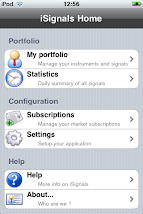
iSignals for iPhone , using CoreGraphics, financial integration with yahoo, PDF generation , email etc etc.
iSignals for iPad , same as above is a port from the iPhone version for iOS 5 and higher
TRACK , is an app to follow an art exhibition in Ghent, using CoreLocation, Augmented reality, GPS functionality etc (for iPad)
Equity Option Calculator , a professional option calculator for the iPhone
The 4 other apps are for Belgium only and for specific purposes.
Next time I'll discuss a bit more in depth on the different new technologies I used.
PS: You can now also follow me on Twitter via @isignals1 or become friends on Facebook.
But now I'm back, I was too busy with setting up my own business, start developing for iOS 5 and iPad, etc.
So it was a very hectic 1 year and a half.
I have now 8 apps on the appstore (and 1 under review) and my experiences are mixed , the free ones are very well downloaded , the payed however....
It becomes more and more difficult to be found on the AppStore, I'm currently spending more time in marketing the apps via different social media than really developing and that's a shame I think.
Anyway for those who want to know what my apps are here we go :
iSignals for iPhone , using CoreGraphics, financial integration with yahoo, PDF generation , email etc etc.
iSignals for iPad , same as above is a port from the iPhone version for iOS 5 and higher
TRACK , is an app to follow an art exhibition in Ghent, using CoreLocation, Augmented reality, GPS functionality etc (for iPad)
Equity Option Calculator , a professional option calculator for the iPhone
The 4 other apps are for Belgium only and for specific purposes.
Next time I'll discuss a bit more in depth on the different new technologies I used.
PS: You can now also follow me on Twitter via @isignals1 or become friends on Facebook.
Thursday, 5 August 2010
NSNumberformatter for special currency formats
Another day somebody asked me if it was possible with an NSNumberFormatter to format currency values like $1k , $1,02m etc.
So instead of displaying a value like $1,020,000 to display it as $1,02m
Now with a standard NSNumberFormatter its not possible, so you could create a custom formatter for that.
The following code snippet will do the job
- (NSString *) formatCurrencyValue: (double )doubleValue
{
NSNumberFormatter *nformat = [[NSNumberFormatter alloc] init];
[nformat setFormatterBehavior:NSNumberFormatterBehavior10_4];
[nformat setCurrencySymbol:[[NSLocale currentLocale] objectForKey: NSLocaleCurrencySymbol]];
[nformat setNumberStyle:NSNumberFormatterCurrencyStyle];
NSString *stringValue = nil;
NSArray *abbrevations = [NSArray arrayWithObjects:@"k", @"m", @"b", @"t", nil] ;
for (NSString *s in abbrevations)
{
doubleValue /= 1000.0 ;
if ( doubleValue < 1000.0 )
{
if ( (long long)doubleValue % (long long) 100 == 0 )
[nformat setMaximumFractionDigits:0];
else
[nformat setMaximumFractionDigits:2];
stringValue = [NSString stringWithFormat: @"%@%@", [nformat stringFromNumber: [NSNumber numberWithDouble: doubleValue]] , s] ;
break ;
}
}
[nformat release] ;
NSLog(@"Value = %@", stringValue);
return stringValue ;
}
Input :
[self formatCurrencyValue: 1235.0f] ;
[self formatCurrencyValue: 10351.0f] ;
[self formatCurrencyValue: 100522.0f] ;
[self formatCurrencyValue: 1235111.0f] ;
[self formatCurrencyValue: 12351234.0f] ;
[self formatCurrencyValue: 192351234.0f] ;
[self formatCurrencyValue: 1872351234.0f] ;
Output :
Value = £1.24k
Value = £10.35k
Value = £101k
Value = £1.24m
Value = £12.35m
Value = £192.35m
Value = £1.87b
Note : you can add additional parameters to the function like number of fraction digits
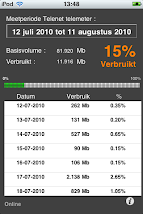
Telenet telemeter for iPhone/iPod


Saturday, 31 July 2010
Drawing text on a pie chart (Cocoa)
Drawing text along side a pie chart (see image below) is fairly simple :

You only need a bit of math.
Let's look a some code :
First you have your text :
NSDictionary *attributes = [NSDictionary dictionaryWithObjectsAndKeys:[NSFont fontWithName:@"Helvetica" size:12], NSFontAttributeName,[NSColor blackColor], NSForegroundColorAttributeName, nil];
NSAttributedString * currentText=[[NSAttributedString alloc] initWithString: @"some text" attributes: attributes];
Then you need to figure out where you will put the text :
dot = NSMakePoint( size_x/2 + cos (PI * mid_angle / 180 ) * 50 , size_y/2 + sin ( PI * mid_angle / 180 ) * 50 ) ;
[greenPath appendBezierPathWithArcWithCenter: dot radius: 2 startAngle: 0 endAngle: 360 ] ;
(This is the dot you see in the picture above)
The mid_angle is the angle of slice divided by 2.
Then you draw the text :
textStartPoint = makeTextStartingPoint( [currentText size], bounds , mid_angle, 50 ) ;
[currentText drawAtPoint:textStartPoint];
The function makeTextStartingPoint looks like follows :
NSPoint makeTextStartingPoint( NSSize textSize, NSRect bounds , float angle, int offset )
{
NSPoint textStartPoint ;
float size_x = bounds.size.width ;
float size_y = bounds.size.height ;
float angle_radian = PI * angle / 180 ;
if ( angle <= 90 )
{
textStartPoint = NSMakePoint( size_x/2 + cos (angle_radian) * offset + 5 , size_y/2 + sin (angle_radian ) * offset ) ;
}
if ( angle > 90 && angle <= 180)
{
textStartPoint = NSMakePoint( size_x/2 + cos ( angle_radian ) * offset - textSize.width - 5 , size_y/2 + sin (angle_radian ) * offset ) ;
}
if ( angle > 180 && angle <= 270 )
{
textStartPoint = NSMakePoint( size_x/2 + cos ( angle_radian ) * offset - textSize.width - 5, size_y/2 + sin ( angle_radian ) * offset - textSize.height ) ;
}
if ( angle > 270 )
{
textStartPoint = NSMakePoint( size_x/2 + cos ( angle_radian ) * offset + 8 , size_y/2 + sin (angle_radian ) * offset - textSize.height ) ;
}
return textStartPoint ;
}
The reason I use an attributed string is because now I get the length of the text in pixels. You also see that the starting point is different from quadrant to quadrant.
Subscribe to:
Posts (Atom)